
Cover letters10 min read
Cover Letter Templates for Google Docs That Match Your Resume
Any cover letter template in Google Docs gives you a layout, not the letter. Here's how to bring a Word template into Docs without breaking it, and what to write in each paragraph for your job.

On this page
Key takeaways
- Each free Google Docs cover letter template in the template gallery gives you a page design, not the words.
- A Word (.docx) cover letter opens in Google Docs through Drive. Check the font, paper size and page count before you edit.
- A matching set means the same name line, job title and contact line on both documents, in the same font and margins.
- The paragraphs are the hard part: name the job and requisition, prove two requirements from the posting, then say why this employer.
- Before you send, search the file for leftover brackets and clear every comment. Download a PDF unless the posting asks for Word.
If you want a cover letter template for Google Docs, you have two routes: pick a free layout from the Docs template gallery, or open a Word template in Docs and edit it there. Both work. Neither writes the letter for you, and that is where most applicants stall. Below is how to get a template into Docs without breaking it, what a matching resume and cover letter set looks like, and what goes in each paragraph for four common jobs.
Free Google Docs cover letter templates: what the gallery gives you

Open Google Docs, click Template gallery at the top of the home screen, and scroll to the Letters section. You’ll find a handful of designs with names like Spearmint, Swiss, Geometric and Modern Writer. Several share their names with resume templates in the same gallery, so you can pair a letter with a resume of the same design.
They are decent layouts. They are also empty. Every one opens with placeholder text that you delete and replace. What you get is a font, a header style and some color. The words are still yours to write.
Two things to watch with the gallery designs:
- Color and decoration. Some use colored headings or accent bars. A human reader won’t mind, but if you paste the letter into an online application form, the formatting is stripped and only the words survive. Write for that version.
- Matching. A gallery letter matches a gallery resume. If your resume came from somewhere else, the two won’t share a header, and the set looks assembled from parts.
If a gallery layout and your own words are enough, use it. If your resume already lives in Word, the next section shows how to bring its matching letter into Docs.
Administrative Assistant Resume Kit
Resume and cover letter written for admin and executive support work, from calendar authority to travel booked through to the reconciled expense claim. You replace the brackets with your details.
How to open a Word cover letter in Google Docs without breaking it
A .docx file opens in Google Docs in about a minute. Most problems show up later, as a letter that spills onto a second page or a font that quietly changed. Follow these steps in order.
- Upload it to Drive. In Google Drive, click New, then File upload, and pick the .docx. Or, from inside Docs, use File, then Open, then the Upload tab.
- Open it and decide whether to convert. Docs can edit the file as a Word document (you’ll see a .DOCX badge next to the file name) or convert it with File, then Save as Google Docs. Converting gives you every Docs feature. Keeping it as .docx keeps the file closest to the original. Either is fine for a one-page letter.
- Check the font. Click into the body text and read the font name in the toolbar. If it differs from the font in Word, Docs substituted it. Pick the same font your resume uses so the pair still match.
- Check the paper size. Go to File, then Page setup. For US employers choose Letter (8.5 x 11 in). A template built on A4 will reflow on Letter, and the other way round. If the document shows no page breaks at all, it is set to Pageless; switch it to Pages here so you can see where page one ends.
- Check the page count. A cover letter is one page. If the signature block has slid onto page two, trim a sentence rather than shrinking the margins below the resume’s.
- Edit, then download. File, then Download, then PDF document (.pdf) or Microsoft Word (.docx). Send whichever the posting asks for.
We cover the same process for resumes, including Apple Pages, in how to edit a resume template in Word, Google Docs or Pages.
What a matching resume and cover letter set looks like
A matching set is two documents a recruiter can tell belong to one person at a glance. Fonts help, but the header does most of the work. On a well-made set, these lines are identical on both pages:
- Your name, with credentials after it if your field uses them (RN, BSN, CAP)
- The target job title, written the way the posting writes it
- One contact line: city and state, phone, email, LinkedIn URL
- The same font, body size and margins
The letter then adds the date, the hiring manager’s name and address block, a salutation, and a sign-off that repeats your name, phone and email under “Sincerely,” so the contact details are on the page even if the letter is printed separately.
Keep the contact line in the body of the page on both documents, not in Word’s header area. Some applicant tracking systems don’t read Word’s header and footer areas when they pull text from a file, and a contact line that isn’t read is a contact line that isn’t there.
| Google Docs gallery template | Role-written kit letter | |
|---|---|---|
| Layout | Yes, several designs | Yes, one plain single-column layout |
| Matches your resume header | Only a gallery resume of the same design | Yes, same name, title and contact line as the kit resume |
| Paragraphs written for your job | No, placeholder text | Yes, with [BRACKETS] for your details |
| Opens in Google Docs | Yes, native | Yes, as a .docx through Drive |
| Cost | Free | Paid, with free samples on each role page |
The hard part of a cover letter template is the words

A template can’t know what the job needs. The posting can. Every cover letter in our role kits follows the same five-part order, and it works in any template, free or paid:
- Opening. The exact job title, the requisition number if there is one, and one line that places you: your credential, your years, your current scope.
- Proof. Quote two requirements from the posting, then show that you do both now, with numbers in brackets until you fill them in.
- Beyond the routine. One thing you do that the posting didn’t list but the manager will care about.
- Why them. Something concrete about this employer: the unit, the student population, the product, the team.
- Close. Resume attached, when you can interview, when you can start.
That order keeps the letter under a page without effort. For more on each part, see how to write a cover letter, how to start a cover letter and how long a cover letter should be.
Here’s the difference the opening makes:
The second version tells the reader the job and your scope before they reach line three. The first could be sent to any employer for any job, which is exactly how it reads.
Role-written letters: what changes from job to job

The five-part order stays the same. What fills it changes completely by job, because each field screens on different things. These notes come from the research behind our role kits, which started from real job postings for each title.
Administrative assistant
The title covers front-desk work and executive support, so your opening has to place you in that range fast. The line that separates the two is judgment: deciding which meeting to decline and which email gets escalated before 8 a.m. Say you have authority to rearrange a calendar, not only to enter it. If you handle travel, follow it through to the reconciled expense claim in [Concur / Expensify / your system], and mention drafting correspondence for someone else’s signature.
Registered nurse
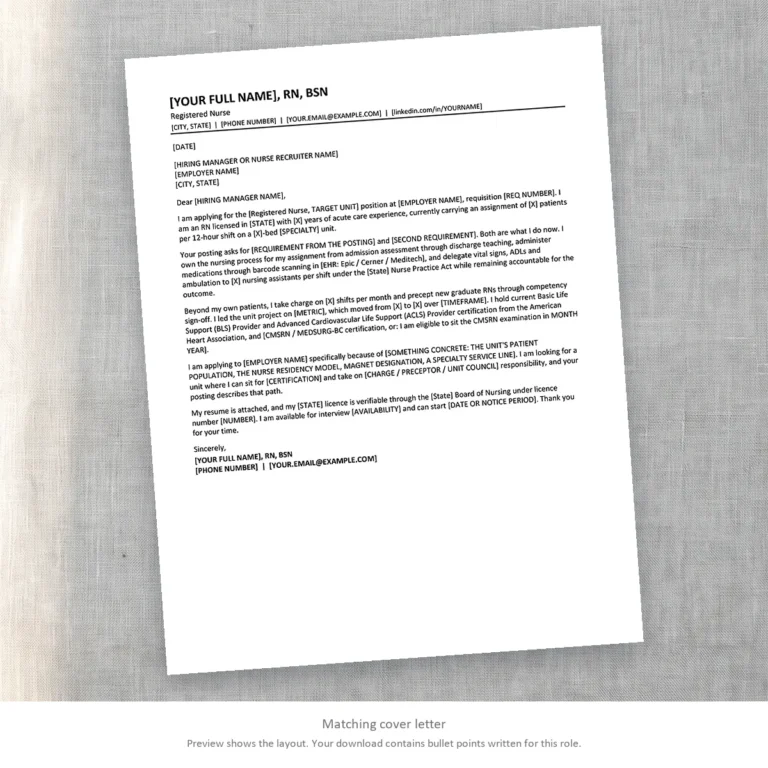
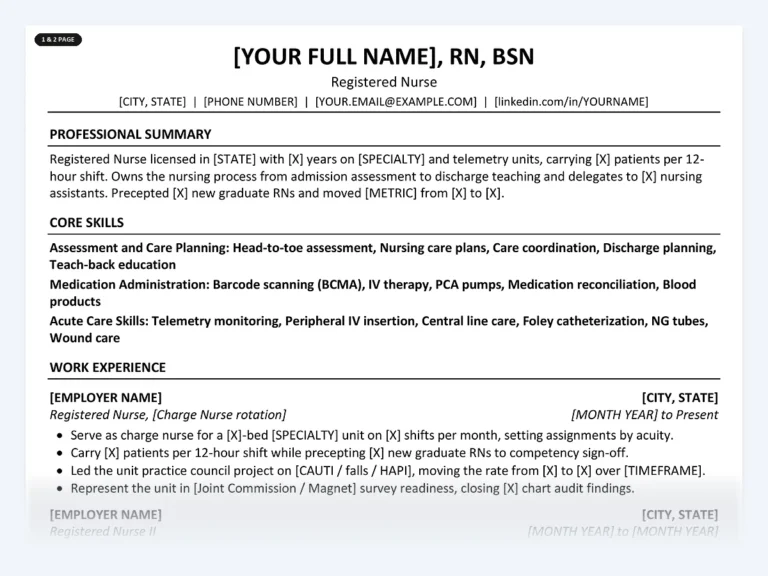
Put the license to work in the letter, not only on the resume. Open with the state you’re licensed in, your unit type and your assignment size: [X] patients per 12-hour shift on a [X]-bed [SPECIALTY] unit. The proof paragraph is where charge shifts, precepting new graduates and current BLS and ACLS cards belong. Close by saying the license can be verified through the [State] Board of Nursing. Nurse recruiters check it anyway, and offering it reads as confident.
Registered Nurse Resume Kit
A resume and cover letter for acute care nursing, with the license, BLS and ACLS lines placed where screeners look first and brackets for your unit, ratio and EHR.
Customer service representative
Name your vertical in the first line: insurance, healthcare, retail and banking are different jobs under one title, and in insurance the role can require a state Personal Lines or Property and Casualty license. Give first contact resolution and average handle time together, and say why: the two pull against each other, and knowing which one a contact needs is most of the skill. If you can issue credits up to [$X] without approval, say so. See the customer service representative kit for the full letter.
Teacher
Your license line carries the subject, the grade band and the state: [State] Professional Teaching License, [SUBJECT], [GRADE BAND]. In the proof paragraph, show three things: planning you write yourself against state standards, how you use assessment data to decide what to reteach, and how you deliver IEP and 504 accommodations in your own room. Offering sample unit plans on request is a strong close. The teacher kit has the letter written this way.
Checks before you send a cover letter from Google Docs
Docs keeps things in the file that you don’t see on the page. Run through this list after your last edit.
- Press Ctrl+F (Cmd+F on a Mac) and search for “[“. Every hit is a placeholder you missed.
- Resolve or delete every comment and accept or reject every suggestion. A .docx download carries them with it.
- Change the file name from “Copy of cover letter” to [First-Last]-Cover-Letter-[Company].
- Download a PDF unless the posting asks for Word. A PDF looks the same on every screen.
- If the application asks for a link instead of a file, open Share, set General access to “Anyone with the link” and the role to Viewer. Then open the link in a private window to test it.
- Open the PDF once on your phone and once on a laptop. Awkward line breaks show up on the small screen first.
Common questions
Does Google Docs have free cover letter templates?
Yes. Open Docs, click Template gallery and scroll to Letters. The designs are free and several match resume templates of the same name in the gallery. They come with placeholder text, so you still write every paragraph.
Can I edit a Word cover letter template in Google Docs?
Yes. Upload the .docx to Google Drive and open it in Docs. You can edit it as a Word file or convert it with File, Save as Google Docs. Check the font and paper size straight away, because a substituted font or a switch between A4 and Letter can push the letter onto a second page.
Should my resume and cover letter use the same template?
They should share a header: the same name line and contact details, in the same font. That tells the reader the documents belong together. The body of each follows its own layout.
Should I send my cover letter as a PDF or a Google Docs link?
Send a PDF unless the posting asks for something else. A link depends on sharing settings the reader can’t fix, and a request-access screen is a poor first impression. If a link is required, set it to view-only for anyone with the link and test it first.
How long should a cover letter be in Google Docs?
One page, usually four or five short paragraphs. If it runs over in Docs but fit in Word, the cause is usually font substitution or paragraph spacing, not your content.
Start from a letter already written for your job
Every role kit has a resume and a matching cover letter written for that job title, as .docx files that open in Google Docs, Word and Pages. Each role page shows free sample bullets first, so you can judge the writing before you buy.
Find your job title
Written by
Founder, Disruptive Templates
Umair Sajid runs Disruptive Templates and has spent a decade in digital marketing, most of it looking at how people are found online. The resume templates here come from the same question asked of hiring software instead of search engines: what does the machine actually read?

Internship Cover Letter: Examples When You Have Little Experience
With little experience, an internship cover letter runs on your graduation date, one class project and how you work. Here's the structure, with examples for four fields.

Cover Letter Examples for Your Resume, Written by Job
Six short cover letters written for real jobs, each showing what that field screens for first. Copy the structure, replace the brackets, and send a letter that sounds like you.

Cover Letter Templates for Word: Written, Not Blank
A cover letter template in Word solves the layout and leaves you the writing. Here is how Word's built-in designs compare with a letter already written for your role, and…