
Cover letters8 min read
Cover Letter Templates for Word: Written, Not Blank
A cover letter template in Word solves the layout and leaves you the writing. Here is how Word's built-in designs compare with a letter already written for your role, and how to format, fill and save one.

On this page
Key takeaways
- A built-in cover letter template in Word gives you a layout and placeholder prompts. You still write every sentence yourself.
- A letter written for your job title saves the hard part: it already names the credentials and numbers that job is judged on.
- Keep the format plain: 1-inch margins, one font at 10.5 to 12 point, left aligned, one page, and the same header as your resume.
- Use Word’s wildcard search for
[*]to find every bracket you still need to replace before you send. - Upload the format the portal asks for. If it doesn’t say, a PDF exported from Word keeps your layout.
Word comes with free cover letter templates: open File, then New, and search “cover letter”. They are fine layouts. But a template with placeholder prompts is still a blank letter, and the writing is the part that takes an evening. This guide covers how Word’s templates compare with a letter already written for your role, the format settings that matter, how to replace brackets without missing one, and whether to upload a PDF or a .docx.
If you want to see what “already written” means, here is what four of our role letters lead with. Each one is a Word file with brackets where your details go.
| Job title | What the letter leads with | What you replace |
|---|---|---|
| Accountant | Month-end close, balance sheet reconciliations and the audit PBC list | Your ERP, entities, close days, CPA status by state |
| Project manager | Change control, the RAID log, and telling a sponsor early when a date won’t hold | Project size, delivery method, PMP or PRINCE2 |
| Receptionist | Call volume, and the visitor log used at fire roll call | Your setting, call volume, languages, hours |
| Administrative assistant | Calendar authority, travel from booking to reconciled claim, and confidential work | Who you support, trips a month, your systems |
A cover letter template in Word vs a letter written for your role

Word templates for cover letters solve the design question. You pick a header style and a font, and the document gives you a prompt for each paragraph. That is useful if you write well and know what the hiring manager for your job wants to read.
Most people don’t, and the result is the familiar letter that could be sent to any company for any job: “I am writing to express my interest in the position.” A recruiter learns nothing from it. The letter that works names the posting, then proves in two short paragraphs that you already do the work.
| Word built-in template | Letter written for your role | |
|---|---|---|
| Cost | Free with Word | Paid, with free samples on each role page |
| Layout | Many designs; some use tables or text boxes | One plain, single-column layout |
| Words | Placeholder prompts; you write everything | Full paragraphs; you replace the brackets |
| Job-specific content | None | Tools, credentials and measures for that job title |
| Matches your resume | Only if you pick a matching resume template | Same header and fonts as the role’s resume |
Where to find a Microsoft Word cover letter template
In desktop Word, go to File, then New, and type “cover letter” in the search box. Microsoft also keeps a free gallery for Word on the web, so you can open a template in a browser if Word isn’t installed. Pick one with a single column and a plain header, then save it as your own .docx before you change anything.
Before you choose a design, check which resume template you will send with it. A letter and resume with different fonts and headers look like two people wrote them.
Free is enough if you are confident with the words and have time to research the role. If the blank page is the problem, start from a written letter and edit it.
Cover letter format rules in Word

The format should disappear. A reader should notice what you wrote, not the design. These settings keep the letter clean on screen and in an applicant tracking system.
| Setting | Use | Where in Word |
|---|---|---|
| Margins | 1 inch all round (0.75 at the smallest) | Layout, Margins |
| Font | The same font as your resume, 10.5 to 12 point | Home, Font |
| Spacing | Single line spacing, 6 to 12 point after each paragraph | Home, Line and Paragraph Spacing |
| Alignment | Left aligned, not justified | Home, Paragraph |
| Length | One page, three or four short paragraphs | Status bar word count |
| Header | Your name and contact line, copied from your resume | Type it in the page, not in Word’s header area |
Keep your contact details in the body of the page rather than Word’s Header area. Some parsers skip headers and footers, and a letter with no readable name or email is a letter nobody can answer. Our guide to cover letter length covers word counts in more detail.
What goes where
- Your name and contact line, matching the resume
- The date, then the hiring manager’s name and the company address
- A salutation to a named person where you can find one
- An opening that names the job and your strongest fit in two sentences
- One or two paragraphs of proof, with numbers
- A paragraph on why this employer, with something specific
- A short close with your availability, then your name
For the writing itself, see how to write a cover letter and our guide to the first line.
How to edit a bracketed template without missing a bracket
A written template marks everything you must change with square brackets: [COMPANY NAME], [X] years, [your system]. The risk is sending one with a bracket still in it. Word can find them all for you.
- Open Find and Replace. Press Ctrl+H on Windows and click More. On a Mac, use Edit, Find, Advanced Find and Replace.
- Tick “Use wildcards”. In the Find box, type
[*]. The backslashes tell Word to treat the brackets as characters. - Click Find Next. Word selects the next bracket, brackets included. Type your real detail over it.
- Repeat until Word finds nothing. Then search once more for a plain “[” to be sure.
- Read it aloud. Review, then Read Aloud, catches the sentence that no longer makes sense after an edit.
Brackets are also where the letter becomes yours. Here is the difference a written paragraph makes for an accountant, before and after the brackets are filled.
The “after” gives the hiring manager three facts they would otherwise have to ask about in an interview. Don’t fill a bracket with a number you can’t explain. If you don’t know a figure, rewrite the sentence around what you do know.
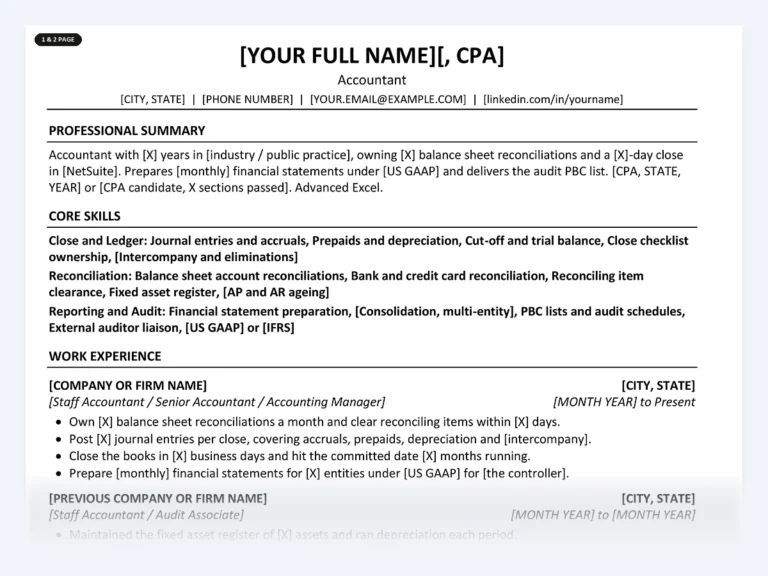
Accountant Resume Kit
A cover letter written for accountant jobs, with a matching 1-page and 2-page resume. The .docx files also open in Google Docs or Pages.
You replace the brackets with your own close figures and CPA status.
PDF or .docx: what to upload to job portals

Upload whatever the posting or portal asks for. If it says .docx or Word, send the .docx. Some systems read Word files more reliably, and the employer has told you which one they want.
If there’s no instruction, a PDF is usually the better choice. It looks the same on every screen, and no one can edit it by accident. Make it from Word with File, then Save As (or Export), and choose PDF. Don’t print to paper and scan it: a scanned PDF is an image, and a parser can’t read the words.
- No brackets left: the wildcard search finds nothing
- Company name and job title match the posting exactly
- Named hiring manager, or “Dear Hiring Manager” if you can’t find one
- Same header and font as your resume
- One page in print preview
- File named “[Firstname-Lastname]-Cover-Letter-[Company].pdf”
- For a paste-in text box: paste as plain text, then fix the line breaks
Working in Google Docs or Pages instead of Word? The same files open there, and our guide to editing templates in Word, Google Docs and Pages covers the differences. Not sure whether you need a letter at all? Read cover letter vs resume.
Common questions
Does Microsoft Word have cover letter templates?
Yes. In Word, open File, then New, and search “cover letter” to see the built-in designs, which are free with Word. They give you a layout and placeholder prompts; you write the content yourself.
What font and size should a cover letter be in Word?
Use the same font as your resume, at 10.5 to 12 point. Common choices are Calibri, Arial and Georgia. Matching the resume matters more than the font you pick, because the two documents are read together.
Should I send my cover letter as a PDF or Word document?
Send what the posting asks for. If it doesn’t say, a PDF exported from Word keeps your layout on every device. Never send a scanned PDF, because the text can’t be read by software.
Can I use a Word cover letter template in Google Docs?
Yes. Upload the .docx to Google Drive and open it with Google Docs. Plain, single-column templates convert cleanly; designed ones with text boxes and tables sometimes shift, so check the layout before you send.
How do I make one cover letter template work for several jobs?
Keep the proof paragraphs as your base, and rewrite the opening and the “why this employer” paragraph for every application. Change the company name and job title everywhere, then run the bracket search before you save the new version.
Get a cover letter already written for your job
Find your job title and edit a letter that already speaks its language, with a matching resume in the same Word style. Each role page shows free sample bullets first.
Find your role
Written by
Founder, Disruptive Templates
Umair Sajid runs Disruptive Templates and has spent a decade in digital marketing, most of it looking at how people are found online. The resume templates here come from the same question asked of hiring software instead of search engines: what does the machine actually read?

Internship Cover Letter: Examples When You Have Little Experience
With little experience, an internship cover letter runs on your graduation date, one class project and how you work. Here's the structure, with examples for four fields.

Cover Letter Examples for Your Resume, Written by Job
Six short cover letters written for real jobs, each showing what that field screens for first. Copy the structure, replace the brackets, and send a letter that sounds like you.

Cover Letter Templates for Google Docs That Match Your Resume
Any cover letter template in Google Docs gives you a layout, not the letter. Here's how to bring a Word template into Docs without breaking it, and what to write…