
ATS and keywords8 min read
LaTeX Resume Template vs Word: Which One Reads Cleanly in an ATS
A LaTeX resume template and a Word file can both parse cleanly, and both can break. Here is where each one fails, a two-minute test for your PDF, and how to choose.

On this page
Key takeaways
- Neither format is safe or unsafe by itself. What matters is whether the PDF gives back clean text in the right order.
- A LaTeX resume template most often breaks on ligatures (fi, fl, ffi), multi-column layouts built with tables or minipages, and icon fonts.
- Word resumes most often break on tables, text boxes and contact details placed in the header.
- Test either one in two minutes: copy all the text from the PDF into a plain text editor and read it.
- Choose Word if recruiters or agencies will handle your file. Choose LaTeX if you already use it and your copy test comes back clean.
A resume built from a LaTeX resume template can read cleanly in an applicant tracking system, and so can a Word one. Each fails in its own predictable ways, and the test that catches both takes two minutes. The practical difference is who else touches the file: recruiters and agencies can edit a .docx, while a LaTeX source file is yours alone. Here is how each one breaks, how to check yours, and which suits your situation.
LaTeX vs Word for a resume: the short answer

Use Word when you want the file to be easy for anyone to edit and forward, and LaTeX when you already write in it and want precise typography under version control. Both end up as a PDF, and the parser only sees that PDF. So the question is never “LaTeX or Word?” in the abstract. It is “does my PDF give back the right words in the right order?”
| Word (.docx) | LaTeX (Overleaf or local) | |
|---|---|---|
| Learning curve | Low; most people already use it | Steep if you don’t already write LaTeX |
| Common parsing risks | Tables, text boxes, header and footer contact details | Ligatures, column layouts, icon fonts, custom characters |
| Recruiter can edit your file | Yes | Only if they read LaTeX; in practice, no |
| Tailoring for each posting | Fast, in any editor | Fast once set up; slow to change layout |
| Version control | File copies or tracked changes | Plain text, works well in Git |
| Typography control | Good | Excellent |
| What you send | .docx or PDF | PDF only |
Where a LaTeX resume template breaks in an ATS

When resume templates for LaTeX break, Overleaf ones included, it happens in three places: ligatures, layouts built from boxes, and symbols from icon fonts. All three look perfect on the page, which is why people rarely notice until they test.
Ligatures turn “fi” into one character
TeX sets letter pairs such as fi, fl, ff, ffi and ffl as single combined glyphs. That looks good in print. When software pulls the text back out, it depends on the PDF carrying a map from each glyph back to its letters. With some pdfLaTeX font setups the map is missing, and the extractor returns one odd character, or nothing, in place of two letters. “Profile”, “workflow”, “efficient” and “certified” then fail to match the keywords a recruiter searched for.
The usual fix under pdfLaTeX is two lines in the preamble: input{glyphtounicode} and pdfgentounicode=1. The LaTeX team tracked preloading this as a kernel change, marked done for its spring 2021 release (latex3 issue 465), so a current installation handles this better than an old one. XeLaTeX and LuaLaTeX with Unicode fonts produce the map automatically. Keeping the two lines costs nothing, and many ATS-focused templates include them. If you still see broken words after that, the microtype package can switch ligatures off entirely.
Columns and tables change the reading order
Two-column resumes built with minipage, tabular or paracol are the second trap. A parser may read straight across the page, so your skills sidebar ends up spliced into the middle of a job entry. Right-aligned dates using hfill or a tabular row usually come out fine, but check they stay on the same line as the job they belong to.
Icons and special characters vanish
Phone, email and GitHub icons from fontawesome packages often extract as blank space or stray symbols. Write “Email:” and the address as plain text instead. The same goes for custom bullet symbols and decorative rules: use ordinary bullets and keep headings as text.
And where Word breaks, for balance
Word has its own traps, and Microsoft’s help page admits that many of its resume templates use tables for layout (Microsoft Support). Text boxes, a two-column table and contact details placed in the header cause the same scrambling a LaTeX minipage does. Our ATS-friendly resume format guide covers the Word side in detail.
Test your resume the way a parser reads it
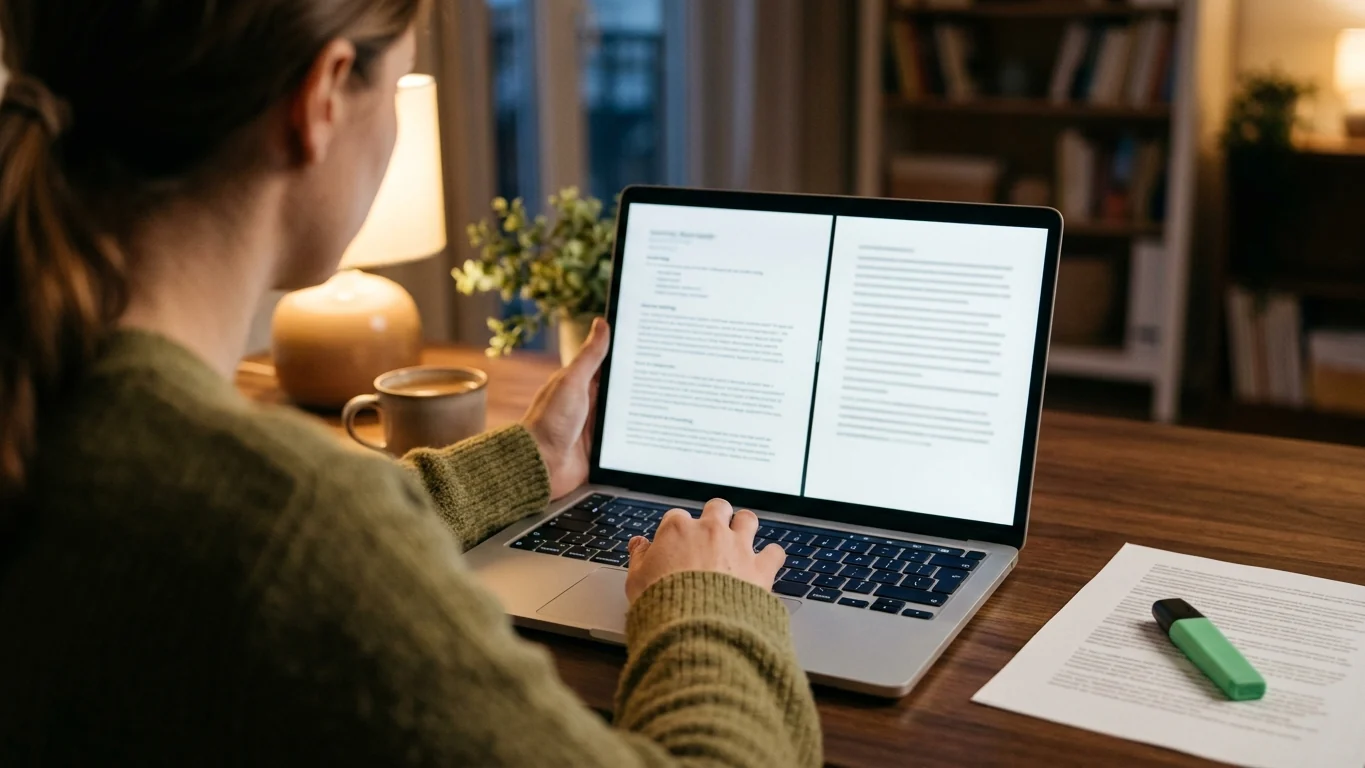
Whatever you wrote it in, run this test on the exact PDF you plan to send. It shows roughly what a text extractor gets, which is the first thing an ATS does with your file.
- Open the PDF in a browser or a PDF reader, select all, and copy.
- Paste into a plain text editor such as Notepad or TextEdit (in plain text mode), not into Word.
- Search for ligature words. Look for “fi” and “fl” inside words on your page, such as certified, profile or workflow. Each should come back as normal letters.
- Read the order. Name, contact details, then each section in turn. Every job title should sit next to its own employer and dates.
- Check the symbols. Email, phone and links should be readable text, not blanks.
If you use the command line, pdftotext resume.pdf - from the Poppler tools prints the same text to your terminal. Different ATS products use different parsers, so this doesn’t predict any one system, but a clean result removes the most common failures.
If the test fails
Match the symptom to its cause and fix only that. Rebuilding the whole resume is rarely needed.
- Words with a gap or a strange character where “fi” or “fl” should be: add the glyphtounicode lines, or compile with XeLaTeX or LuaLaTeX.
- Skills or dates wedged between two jobs: move the sidebar content into its own section below, in one column.
- Blank spaces where contact details were: replace the icons with words.
- In Word, sections out of order or missing: look for a hidden table or a text box and move the text into the body.
Then export again and repeat the test. It takes a minute the second time.
Then check the words themselves
Paste the text you just extracted, along with a job description, into the free ATS keyword checker. It lists the keywords from the posting that your resume is missing, including any that a broken ligature knocked out.
Open the keyword checkerWhy recruiters still ask for Word
Recruiters ask for Word because it is the one format they can edit. Staffing agencies often move a candidate’s resume onto their own branded layout, or remove contact details before sending it to a client. Some application portals also ask for a .docx upload. None of that works with a LaTeX source file, and a PDF can’t be tidied up by someone else.
So if you apply through agencies, or a recruiter has asked for “your resume in Word”, keep a .docx version even if your main copy lives in LaTeX. Rebuilding it takes an evening once, and far less if you start from a Word template that is already single column. For fonts that survive the move between the two, see the best font for an ATS resume.
Which one should you use
Pick by how you work and who handles the file, not by which looks more technical. A clean Word resume does not read as less serious to an engineering hiring manager; the content decides that.
- Stay with LaTeX if you already maintain it in Git, you apply mostly to engineering or research roles directly, and your copy test comes back clean.
- Use Word if you apply through agencies or recruiters, you need to tailor each application fast, or you don’t already know LaTeX. Learning it for one document is a poor trade.
- Keep both if you are a researcher or engineer who uses LaTeX daily but also works with agencies: a LaTeX master for direct applications and a .docx for anyone who needs to edit.
Whichever you pick, the words matter more than the typesetting. A software engineer resume is screened first on languages and frameworks named exactly as the posting names them. A data scientist is screened on Python, SQL and models measured against a stated baseline. A data analyst is screened on SQL and a named BI tool.
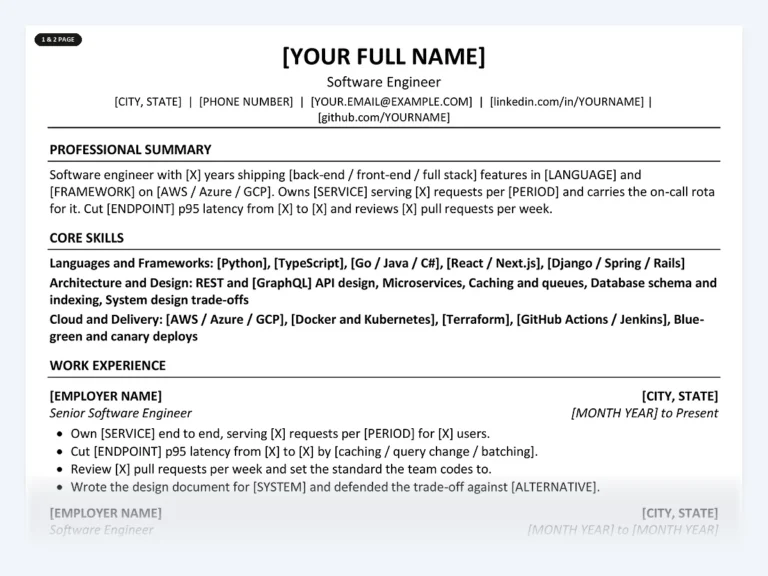
Software Engineer Resume Kit
A single-column Word file with no tables or text boxes, already written for engineering roles: stack, features you owned, testing, code review and on-call. You bracket in your own languages, services and numbers.
Common questions
Are LaTeX resumes ATS-friendly?
They can be. A single-column LaTeX resume with Unicode mapping for ligatures, plain-text contact details and no icon fonts usually extracts cleanly. Run the copy-and-paste test on your PDF to check, because the same template can behave differently with different compilers and fonts.
Is an Overleaf resume template safe to use?
Some are and some are not; Overleaf hosts templates from many authors. Prefer single-column designs, check the preamble for glyphtounicode, and remove icon packages. Overleaf lets you switch the compiler between pdfLaTeX, XeLaTeX and LuaLaTeX from its menu if extraction looks wrong.
Do recruiters care if a resume was made in LaTeX?
Mostly not; they see a PDF. It matters when they need to edit the file, which agencies often do, and then they will ask for a Word version.
Should I send a PDF or a Word file?
Send what the posting or portal asks for. If it doesn’t say, a PDF with selectable text keeps your layout fixed. Keep a .docx ready for recruiters who ask for an editable copy.
Can I convert my LaTeX resume to Word?
Tools such as Pandoc can convert LaTeX to .docx, but resume layouts rarely survive intact. It is usually quicker to paste your content into a clean single-column Word template and fix the formatting there.
Keep a clean Word version ready
Find your job title and start from a single-column Word resume already written for it, with 1-page and 2-page versions and brackets for your details. Free sample bullets are on every role page.
Find your job title
Written by
Founder, Disruptive Templates
Umair Sajid runs Disruptive Templates and has spent a decade in digital marketing, most of it looking at how people are found online. The resume templates here come from the same question asked of hiring software instead of search engines: what does the machine actually read?

The Best Fonts for an ATS Resume (and the Ones to Skip)
Almost every font parses correctly, so the real question is readability. The safe list, what to avoid, and the sizes and spacing that go with it.

How to Find Resume Keywords in a Job Description
A five-step method for pulling the words a recruiter will actually search for out of a job advert, and putting them where they count.

ATS-Friendly Resume Format: The Eight Rules That Matter
Eight formatting rules that keep an applicant tracking system reading your resume correctly, and the list of things you are still allowed to keep.