
Resume writing8 min read
Computer Skills for a Resume: What to List and How to Prove It
When you list computer skills for a resume, name the software and the level, then prove it in a bullet. Lists by job type, where the section goes, and what to leave off.

On this page
Key takeaways
- When you list computer skills for a resume, name the program, not the category. “Excel (pivot tables, XLOOKUP)” is searchable; “computer literate” is not.
- State the level by what you can do with the software, not with a percentage or a star rating.
- Prove your two or three most important tools inside a work bullet, with a result.
- Pick the list by job type: office roles screen on Outlook and Excel, clinics on the EHR, tech roles on specific platforms.
- Leave off email, internet browsing and typing speed unless the posting asks for them.
List the specific programs the job ad names, say how well you use each one, and prove the important ones in your work bullets. That is the whole method. The rest of this page gives you the lists by job type, where the section goes, and the entries that quietly weaken a resume.
What counts as computer skills on a resume

Computer skills are the named software and technical tasks you can do without help on your first week. The word “named” carries the weight. Recruiters search an applicant tracking system for strings like Excel, Epic or Salesforce. Nobody searches for “computer skills”, and the same goes for “computer literacy skills”: both name a category, and a category matches no search.
So “Proficient in Microsoft Office” does very little. It names a suite of a dozen programs and says nothing about which ones you use or how. Compare it with “Excel: pivot tables, XLOOKUP, conditional formatting, monthly reports for [5] managers”. The second version is searchable, it tells a hiring manager your level, and it gives the interviewer something to ask about.
Describe the level by what you can do
“Advanced” means different things to different people, so pair every level word with a task. This table shows the difference for the programs that come up most often in office postings.
| Program | Basic looks like | Advanced looks like |
|---|---|---|
| Excel | Entering data, simple sums, sorting and filtering | Pivot tables, XLOOKUP or INDEX/MATCH, Power Query, macros |
| Word | Typing and formatting letters | Styles, mail merge, templates, tracked changes on shared documents |
| Outlook | Sending email, accepting invites | Delegate access to someone else’s calendar and inbox, rules, shared mailboxes |
| PowerPoint | Editing an existing deck | Building a master slide template others use |
| Google Workspace | Docs and Sheets for your own work | Shared Drive structure, Sheets formulas, Forms feeding a tracker |
Skip the star ratings and percentage bars. They carry no text a parser can read, and “Excel 80%” invites the question “which 20% can’t you do?”
Computer skills for a resume, by job type

The right list depends on the job, and the fastest way to build it is to copy the software names from three or four postings for your title. Here is where to start for the most common job families. These come from our research into real postings for each role.
Office and administrative jobs: Microsoft Office and Google apps
Office postings screen hard on named Microsoft or Google applications. A Veterans Health Administration posting for an Office Automation Clerk, for example, lists word processing, spreadsheet work for reports and graphics for presentations as duties, and rates applicants on a competency it calls Computer Skills (USAJOBS).
- Microsoft Outlook, including calendar management and delegate access
- Excel, with the functions you use named
- Word, SharePoint and Teams, or Google Workspace
- Expense and signature tools such as Concur or DocuSign
- Your HR, timekeeping or records system, by product name
For an administrative assistant, name the software as products next to who you support. For an office assistant, name the systems you own outright, such as the timekeeping or filing system, rather than the ones you “helped with”.
Healthcare jobs
Clinics and hospitals filter on the electronic health record by name: Epic, Cerner, Meditech, athenahealth, eClinicalWorks or NextGen. Writing “EHR” alone misses the search. Add the clinical systems you actually operate, such as barcode medication administration (BCMA) or Pyxis and Omnicell dispensing cabinets for nurses, and for medical assistants, the scheduling system plus eligibility and prior authorization work.
Retail and customer service jobs
Name the point-of-sale system you used, plus any inventory or ordering system. In contact centers, name the help desk and phone platforms, such as Zendesk, Freshdesk, Salesforce, Five9 or Genesys, and mention chat if you handled several conversations at once. That concurrency is a real skill difference, and the number (how many chats at once) says it for you.
IT and technical jobs
Here computer skills are the job, so the section gets longer and more specific. For an IT support specialist, that means the ticketing system plus directory and device management tools, and imaging or deployment software, each by name. Certifications belong near the top, with dates. One Air Force IT support posting we studied required CompTIA Security+ or an equivalent before hire (USAJOBS). For a data analyst, lead with SQL and one BI tool such as Tableau or Power BI, because those two strings decide whether anyone reads further.
Prove your computer skills in a bullet
The skills section claims a tool; a work bullet proves it. Pick the two or three programs the posting cares about most and show each one doing a job, with a number you can defend. Keep your real figures in the brackets.
Each rewrite names the software, what you did with it, and what changed. That is also how you handle a tool you are still learning: say where you used it and at what scale, and let the reader judge. Our guide to resume bullet points goes deeper on the structure.
Check which software the job ad names
Paste the job description and your resume into the free ATS keyword checker. It lists the program names and skills in the ad that your resume is missing.
Open the keyword checkerWhere the computer skills section goes

Put a short skills section below your summary for technical roles, and below your experience for most others. The difference comes down to what the screener checks first. A help desk or data recruiter looks for the stack before anything else. An office manager reads your experience first and uses the skills list to confirm it.
- Title it plainly. “Skills” or “Technical skills” is what parsers and people expect.
- Group by type. For example, Software, Systems and Data, rather than one long line of commas.
- Use the posting’s wording. If the ad says “Microsoft 365”, don’t write “Office 2019”. If it says “Google Sheets”, include it even if you mostly use Excel. See our guide to resume keywords from a job description.
- Keep it to what you could use unsupervised. Six to twelve items is typical. A technical screen will find the tool you watched one tutorial on.
If you used the software outside a job
School, volunteer work or personal projects count, as long as you say where the work happened. A student who kept the membership spreadsheet for a club can write “Maintained a Google Sheets roster of [120] members with a Form feeding new sign-ups”. That is a real use of a real tool at a stated scale. Put it under a Projects or Volunteer heading so nobody mistakes it for paid work, and let the skills section list the program once.
If you are building the whole page from scratch, our guide on how to write a resume covers the order of every section.
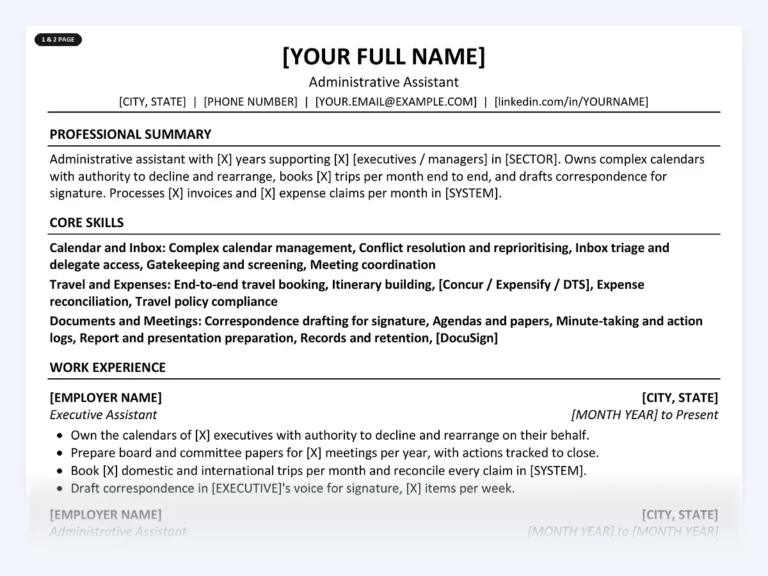
Administrative Assistant Resume Kit
Outlook, Excel, SharePoint and Concur are already named as products and proved inside the bullets, with brackets for your own volumes. The Career Kit’s keyword bank lists the tools and skills postings for this job screen on.
Computer skills to leave off your resume
Leave off anything every applicant has, and anything you can’t back up in an interview. These entries use space without adding information:
- Email, internet browsing and “basic computer literacy”
- “Microsoft Office” with no program named
- Typing speed, unless the posting asks for it (some federal clerical roles do)
- Software you used once in a course and couldn’t use today
- Retired or very old versions, unless the employer still runs them
- Skill bars, star ratings and percentages
One exception runs the other way. Advanced Excel is worth keeping even in roles where it seems ordinary, because hiring managers in data and finance screen for it, and “advanced” backed by named functions is rarer than you’d think.
Common questions
What are basic computer skills for a resume?
Word processing, spreadsheets, email and calendar, and file management, in named programs such as Word, Excel, Outlook or Google Workspace. On a resume, list the programs, not the phrase “basic computer skills”, and only mention them if the posting asks or the role is clerical.
How do I list Microsoft Office skills on a resume?
Name each application you use and add what you do in it: “Excel (pivot tables, XLOOKUP)”, “Outlook (delegate calendar management)”. Match the posting’s wording, such as Microsoft 365, and prove the most important one in a work bullet.
Should I put computer skills in a separate section?
Yes, a short Skills section helps both parsers and people find them. Keep it grouped and brief, and repeat your top two or three tools inside your experience bullets where you can show them in use.
How many computer skills should I list?
Six to twelve is typical for most roles; technical roles can list more if grouped by type. Include only what you could use without supervision next week, because interviews and technical screens test what you list.
Is typing speed a computer skill worth listing?
Only when the posting asks for it, which some data entry and federal clerical roles do. If it is requested, give the measured words per minute and where it was tested.
Start with the right tools already named
Find your job title to see which software its postings screen for, with free sample bullets and keywords on every page. The Word files open in Word, Google Docs or Pages, and there is no account to create.
Find your job title
Written by
Founder, Disruptive Templates
Umair Sajid runs Disruptive Templates and has spent a decade in digital marketing, most of it looking at how people are found online. The resume templates here come from the same question asked of hiring software instead of search engines: what does the machine actually read?

Server Resume Examples: Covers, Checks and Upselling
Managers read a server resume for section size, covers per shift and how you move the check. Here are bracketed examples for casual, fine dining, banquet and bartender-server jobs.

Security Guard Resume Examples: License, Posts and Incidents
Recruiters at security companies check your guard card before anything else. Here is where it goes, with bullets for each post type, incident report wording and an armed version.

Project Manager Resume Examples: Scope, Budget and Delivery
Lead with your method and credential, give every project a size line, and write bullets about what the plan met in real life. With IT, construction and agile versions.